


Chess Clash: Online & Offline
4.51.07K Reviews
App Specs
- Version
- 8.14.1
- Updated On
- License
- Free
- Downloads
- 10,000,000+
- Developer
- Miniclip.com
- Categories
- Board
- Platform
- Android, iOS
Screenshots

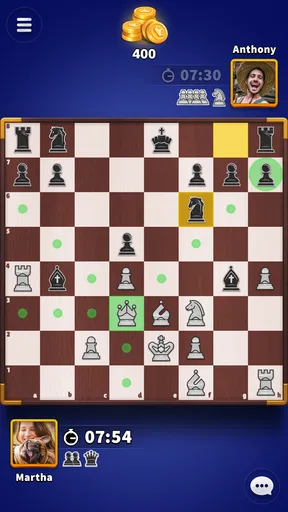
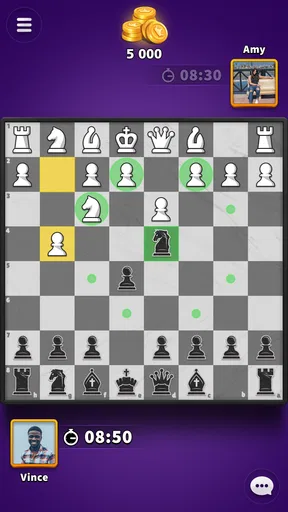
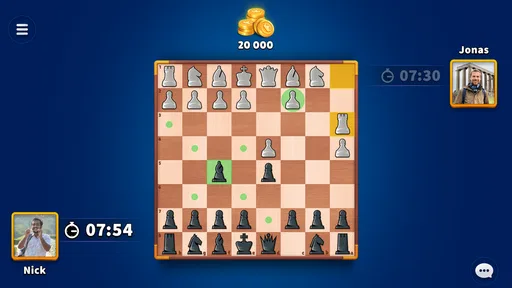
 Analysis by AppCompare
When I want a chess game that fits into an ordinary spare moment, I look for a quick route to a match rather than a long setup. Chess Clash: Online & Offline is a board game from Miniclip.com, built around playing chess with other people or taking on a solo challenge. It can suit a short break, though the best reason to stick with it is the familiar puzzle of weighing a move against what might happen next.
Small goals that make a match worthwhile
Chess gives each game its own immediate goal: protect your position, spot a threat, and make a plan that holds up after your opponent responds. That makes this a natural fit for players who like working through a problem one decision at a time. I would approach a first session as a chance to settle into the board and learn how the app feels, rather than expecting a long-term progression track to do the motivating for me.
A useful habit is to choose one thing to focus on before starting a game: for example, checking whether a move leaves a piece exposed. That gives even a casual match a clear purpose without turning it into homework. If I have only a few minutes, I also think about whether I can comfortably finish a game before beginning; chess is easy to start and harder to put down neatly once both sides are invested.
What progress feels like in chess
Progress here is most meaningful when I notice a change in my own decisions. Did I see a threat sooner? Did I avoid moving a piece just because the move looked active? Those small improvements matter more than a single win, particularly for beginners who are still learning how pieces interact. A board game built on the same rules can keep offering fresh problems because the opponent’s choices change the position every turn.
The wider audience gives a sense of how established the game is: it has a 4.4 average from around 123,000 ratings and has passed 10 million installs. Those figures can help a new player understand that this is not an obscure chess experiment, but they do not tell me whether a particular opponent will be a good match or whether I will enjoy the pace. I would judge that from actual games, not from popularity alone.
Challenge depends on the opponent
Chess difficulty is not a smooth ladder in the way a level-based puzzle game might be. A position can feel comfortable for several moves and then turn difficult because one overlooked threat changes everything. Playing another person adds variety, but it can also mean uneven experiences: some opponents may make obvious mistakes, while others may punish a small lapse. I find that mix useful if I can treat losses as information instead of as a verdict on my ability.
For a relaxed player, this is a reason to keep expectations modest. One game is a snapshot, not a reliable measurement of skill. If I am learning, I would review the decisions I remember struggling with and try a different approach next time. If I want structured chess study, a dedicated teaching tool or a book may be a better companion; a mobile match is most valuable when I want to apply ideas at the board.
Worth Reading Before You Choose

Flipboard Shows What News Apps Must Do Beyond the Feed

Switching to Android Auto Means Rethinking Your Driving Routine

Google Calendar Makes a Crowded Week Easier to Manage

Ludo King Makes the Most of the Minutes Between Plans

Baby Panda World Brings Quick Play to Modern Phones, but Its Game Library Feels Busy

ESPN’s Live Game View Makes Following Close Games Easier
When a quick game fits the day
A realistic use is a quiet wait between appointments: I can open the game, settle into a match, and focus on a concrete position instead of scrolling through unrelated feeds. The trade-off is that a chess game asks for attention until it ends. If I am about to board a bus, join a meeting, or deal with an interruption, starting a match may be a poor choice. For those moments, a short standalone puzzle is often easier to pause than a live game with another person.
That distinction also helps answer who should skip it. Chess Clash is a better fit for someone who already enjoys chess or is curious enough to learn by playing. It is less suitable for a person seeking a fast reflex game, a story campaign, or entertainment that can be abandoned at any second without affecting anyone else. The appeal comes from thinking through a position, not from constant action.
It is free to download, rated Everyone, and the game’s current version is 8.12.0. Optional in-app purchases range from $0.99 to $99.99 per item, so I would treat spending as a choice rather than a requirement for deciding whether chess itself is enjoyable. Before buying anything, I would first establish what I actually want from the game and whether its ordinary match experience gives me that.
An Overview of Chess Clash
First things first, Chess Clash: Online & Offline stands out for its versatility. The app offers both online and offline modes, which means you can play against real opponents worldwide or hone your skills against AI. What’s cool is the app’s ability to gauge your skill level and match you with players of similar expertise. This makes each game competitive, yet fair.
Getting Started
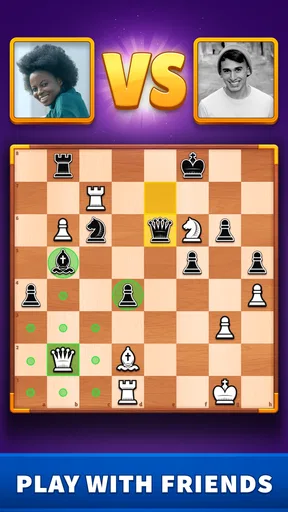
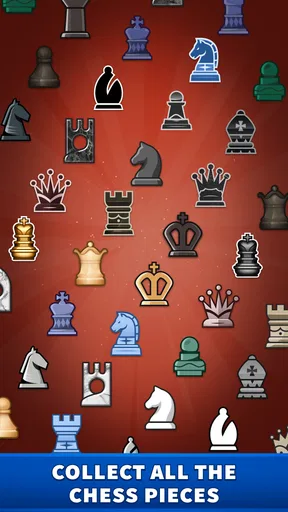
Jumping into the app is a breeze. It has a clean, user-friendly interface that’s easy to navigate. After a quick login or sign-up, you’re ready to dive into the game. The home screen presents you with several options: quick matches, tournaments, and practice games. You can even customize your chessboard and pieces, adding a personal touch to your gameplay.
For a first session, I would keep the goal simple: start with a practice game and pay attention to how the board responds when I select and move a piece. That small check is useful before playing online, where I would rather concentrate on the position than wonder whether I have made the move I intended. Personalizing the board can make it easier to settle in, but I would prioritize clear, comfortable visuals over decoration when I am trying to read the board quickly.
Gameplay Experience
Playing a game in Chess Clash feels smooth and engaging. The online multiplayer mode is where the app truly shines. Matching with opponents is swift, and the real-time gameplay keeps you on your toes. The app also supports a chat feature, so you can exchange friendly banter or discuss strategies with your opponent.
Live play is the part I would choose when I want the uncertainty of facing another person. It is also the part that requires the most attention: a reply can change the plan I had in mind, and a match is not always a good fit for a fragmented break. Chat can add a social touch, but I would not rely on it as a substitute for clear chess communication; the board itself is where the important information is. If I prefer to focus, I can simply keep my attention on the moves.
If internet connectivity is an issue, or if you simply prefer a solo challenge, the offline mode offers a robust AI opponent. It’s a great way to practice and refine your skills without any pressure.
I would use solo play for trying out an idea without feeling that I am holding up another person. It can be useful for getting comfortable with moving pieces and thinking one turn ahead, but playing against an AI is not identical to playing a person. A computer opponent can provide a repeatable challenge, while a human opponent brings unpredictable choices and a social element. Switching between the two makes sense when I want both low-pressure practice and the sharper focus of a live match.
Learning and Improving
For those looking to improve their chess skills, the app includes various features to help you learn. There’s a detailed analysis option post-game, where you can review your moves and identify areas for improvement. It’s like having a personal chess coach in your pocket!
I would get more from a review by looking for one decision I can explain, not by trying to memorize every move at once. If I lost a piece or missed a threat, I can ask what information was visible before I moved and what alternative I overlooked. That turns analysis into a practical routine: play, inspect one turning point, then carry that lesson into the next game. It is more manageable than expecting a single review to teach me all of chess.
The app also offers tutorials and strategy guides. These resources are incredibly helpful, especially for beginners who are just getting acquainted with the game.
For a new player, I would pair a tutorial with actual play rather than reading several guides in a row. Learn one principle, then see whether I can recognize a moment where it matters on the board. That approach keeps the material grounded and makes it easier to notice what I still misunderstand. More experienced players may find general guidance less useful than reviewing their own mistakes, so the value of these learning resources depends on where someone is starting.
Community and Competitions
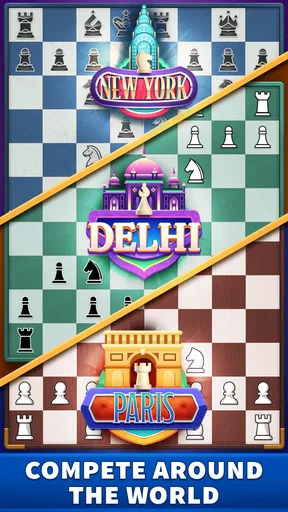
One of the most exciting aspects of Chess Clash is its vibrant community. Weekly tournaments allow players to compete for rankings and rewards, fostering a sense of camaraderie and competition. The leaderboard is a thrilling place to track your progress and aim for higher rankings.
Tournaments and leaderboards can give a player a reason to return, but I would treat rankings as a source of context rather than the only measure of improvement. A higher position can be motivating; it can also make a casual game feel more pressured than intended. If I am learning, I would focus on whether I made more thoughtful choices, not only on where I appear on a leaderboard. Someone who enjoys competition will likely get more from these social goals than a player who wants chess to remain entirely private and low stakes.
Moreover, the app regularly updates with new challenges and events, keeping the gameplay fresh and exciting.
Choosing how much to play
Goals, tournaments, and the prospect of another match can make it tempting to keep playing after I meant to stop. I find it helps to decide in advance whether I am opening the game for practice, a social match, or competition. That small distinction keeps the experience from becoming a vague chase for one more result. If I am tired, a loss can feel more frustrating and my decisions may get careless, so ending a session after a focused game is sometimes better than trying to recover a ranking immediately.
Compared with a traditional chessboard, a mobile game is easier to carry and can connect me with opponents without arranging a meetup. Compared with a chess clock and a face-to-face game, it is less suited to reading an opponent’s reactions or sharing the physical board. And compared with a dedicated chess-learning app, its strongest draw is playing matches, not replacing a structured course. I would pick the format that matches what I want that day rather than expecting one mobile game to cover every way people enjoy chess.
Final Thoughts
All in all, Chess Clash: Online & Offline is a must-have for any chess enthusiast. Its blend of online and offline gameplay, coupled with a supportive learning environment, makes it a standout choice in the world of mobile chess apps. Whether you’re looking to kill time, compete with friends, or seriously improve your skills, this app has got you covered.
My more measured recommendation is for people who want chess ready on their phone and enjoy alternating between playing alone and facing other people. Beginners can use practice and learning material to get started, while regular players may enjoy the match-and-review rhythm. If your priority is deep, structured coaching, a physical game with someone beside you, or a pastime that never asks you to finish a match, another option will suit you better.
So, if you’re ready to test your strategic prowess, download the app and let the games begin!
Pros
- Seamless online multiplayer experience.
- Intuitive interface for beginners.
- Offline mode for practice.
- Regular updates with new features.
- Customizable board themes.
Cons
- Occasional lag in online matches.
- Limited tutorial for advanced strategies.
- Ads can be intrusive.
- In-app purchases may be pricey.
- Requires constant internet for updates.
FAQs for Chess Clash: Online & Offline
What modes are available in Chess Clash: Online & Offline?
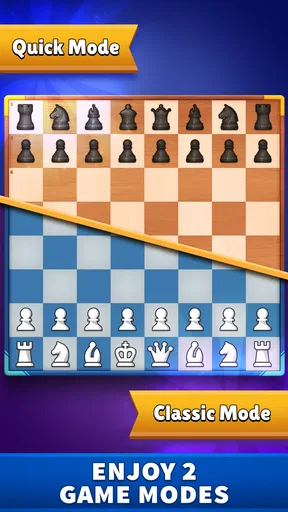
Chess Clash offers both online and offline modes, allowing players to enjoy matches against real opponents globally or practice against AI. The online mode provides a competitive environment with ranked matches, while the offline mode is perfect for honing your skills without an internet connection.
Is Chess Clash suitable for beginners?
Yes, Chess Clash is designed to be user-friendly for both beginners and experienced players. It includes tutorials and tips to help newcomers understand the basics of chess, along with a variety of difficulty levels in offline mode to gradually increase the challenge as you improve.
What features enhance the multiplayer experience in Chess Clash?
Chess Clash enhances the multiplayer experience with features such as real-time matchmaking, chat options, and a ranking system. Players can challenge friends or compete in global leaderboards, making the game engaging and socially interactive. Regular updates also introduce new challenges to keep the gameplay fresh.
How does Chess Clash ensure fair play?
Chess Clash utilizes an anti-cheat system to maintain fair play in online matches. The system detects and prevents any form of cheating, ensuring a level playing field for all participants. Additionally, player reports and community feedback help maintain the integrity of the game.
Are there any in-app purchases in Chess Clash?
Yes, Chess Clash includes in-app purchases that offer cosmetic upgrades and additional features. While these purchases can enhance the gaming experience, they are entirely optional. The core gameplay remains free, ensuring that all players have access to the full chess experience without spending money.


